
businesses pour time into their websites, only to get buried on page 5 of Google. No traffic. No clients. Just frustration.Here’s the hard truth: If your site isn’t optimized, customers can’t find you. You might lose sales to competitors who are ranking higher. But guess what? SEO isn’t magic—it’s a skill anyone can learn.This guide cuts through the confusion. No tech jargon. No fluff. Just simple steps to help your website rank higher, attract customers, and grow your business. Ready to finally get seen? Let’s dive in.
Table of Contents
Why SEO Matters (Even If You’re Just Starting Out)
Think of SEO like a signpost for your business. Without it, customers might walk right past you—online. Most freelancers and small businesses assume SEO is only for big companies. Wrong. Even if you’re new, SEO helps you compete. It’s how Google decides who shows up first when people search. No SEO? You’re invisible.
Good news: You don’t need a big budget. Small tweaks—like using the right words on your website—can push you ahead of competitors. Imagine a client searching for “freelance graphic designer in London.” If your site is optimized, you could be their first click. Miss this, and they’ll hire someone else.
SEO isn’t just about traffic. It’s about the right traffic. A well-optimized site attracts people ready to buy or hire you. Skip SEO, and you’ll waste time chasing clients who never find you. Start now, and you’ll build momentum over time. The sooner you begin, the faster you’ll see results.
SEO Basics: How Google Actually Works
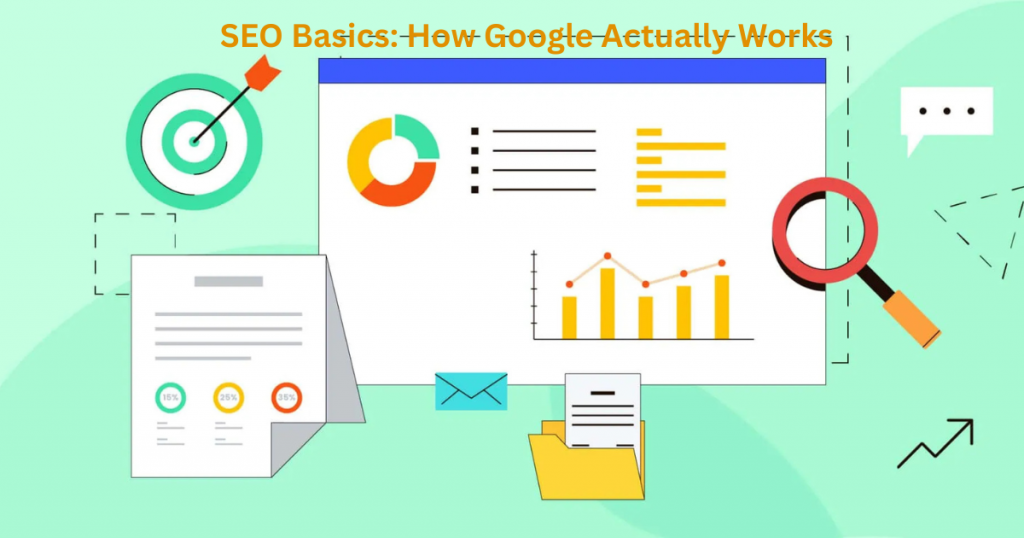
Google’s job is simple: give users the best answers, fast. To do this, it “crawls” websites, reading their content like a librarian scanning books. Then, it ranks them based on hundreds of factors. The goal? Match searches with the most helpful pages. You don’t need to know every technical detail. Focus on the basics:
- Content: Google loves clear, useful information.
- Keywords: These are the words people type into a search. Use them naturally.
- Links: When other sites link to you, Google sees you as trustworthy.
Think of it like a popularity contest—but for usefulness. A site with messy code, slow loading, or spammy content gets buried. A clean, fast, helpful site climbs higher. The better you meet Google’s standards, the more traffic you’ll get.
On-Page SEO: Simple Fixes to Rank Higher
On-page SEO is all about optimizing what’s on your website. Start with these easy wins:
Titles & Headings: Use clear, descriptive titles (like this section!). Include keywords people search for.
Content: Write for humans first, Google second. Answer common questions plainly.
Images: Compress files to speed up your site. Add alt text (like a caption for Google).
Small changes make a big difference. For example, a bakery could change “Our Products” to “Best Chocolate Cake in Chicago” to attract local searches. Fixing broken links and improving page speed also helps.
Best part? You can do most of this yourself. Tools like Yoast SEO (for WordPress) or WIX’s SEO Wizard guide you step-by-step. No guesswork needed.
Keyword Research Made Easy (No Tech Skills Needed)
Finding the right keywords doesn’t have to be complicated. Start by thinking like your customers. What would they type into Google when looking for your services? For example, a freelance photographer might search for “affordable wedding photographer near me” or “best portrait photographer in [city].” These simple phrases are your golden tickets to getting found.You don’t need fancy tools to begin. Google’s own search suggestions are a free and easy way to find keywords. Just start typing your main service into Google and see what pops up. These are real searches people are making. Another trick? Check what your competitors are ranking for. Tools like Ubersuggest or Google Keyword Planner (both free) can help, but even without them, you can make progress.Once you have a list of keywords, sprinkle them naturally into your website. Don’t stuff them—just use them where they make sense, like in your page titles, headings, and content. The goal is to match what people are searching for, not to trick Google. Keep it simple, and you’ll start seeing results.
How to Write Content Google Loves
Google rewards content that helps people. That means your blog posts, service pages, and even product descriptions should answer real questions your customers have. Start by picking topics that matter to your audience. For example, if you’re a fitness coach, write about “how to stay motivated to work out” or “best home exercises for beginners.” These are things people actually search for.Next, make your content easy to read. Short sentences, clear headings, and bullet points help both readers and Google understand your message. Avoid jargon—write like you’re explaining something to a friend. Google also loves fresh, updated content, so revisit old posts and tweak them if needed. Finally, structure matters. Use headings (like H2 and H3) to break up your content, and include images or videos to make it engaging. The longer people stay on your page, the more Google thinks your content is valuable. Keep it helpful, keep it simple, and Google will notice.
The Secret Weapon: Local SEO for Small Businesses
If you run a local business, local SEO is your best friend. It’s how you show up when people nearby search for what you offer. For example, “plumber in Miami” or “bakery near me.” The good news? You don’t need a huge budget to rank locally—just a few smart steps. First, claim your Google My Business listing. It’s free and puts your business on Google Maps. Fill out every detail—your address, hours, photos, and services. The more complete your profile, the better. Next, get reviews from happy customers. Google trusts businesses with real, positive feedback. Even a handful of 5-star ratings can boost your visibility.Lastly, mention your location naturally on your website. Use phrases like “best coffee shop in Austin” or “trusted electrician serving Dallas.” Local keywords help Google connect you with nearby customers. Combine this with a fast, mobile-friendly site, and you’ll stand out in local searches without the stress.
Free (and Cheap) SEO Tools You Should Use Today
You don’t need to spend a fortune to improve your SEO. There are plenty of free and affordable tools that can help. Google Search Console is a must-have – it shows how your site appears in search results and spots problems you need to fix. Google Analytics is another free tool that tells you who visits your site and what they do there.
For keyword research, try Ubersuggest or AnswerThePublic. They show what people are searching for and help you find content ideas. If you use WordPress, the Yoast SEO plugin is great for optimizing pages as you write them. Screaming Frog (free for small sites) checks for broken links and other technical issues.
These tools give you powerful insights without costing money. Spend an hour each week checking them, and you’ll stay ahead of competitors who aren’t using them. The best part? You can start today without any special skills.
Common SEO Mistakes to Avoid
Many small businesses hurt their SEO without realizing it. One big mistake is ignoring mobile users – if your site isn’t mobile-friendly, Google will push you down in rankings. Another error is using the same title on every page – each page needs a unique title with relevant keywords.
People often forget about page speed too. Slow pages make visitors leave quickly, and Google notices. Also avoid keyword stuffing – using the same phrase too many times sounds unnatural and can get you penalized. Broken links are another common problem that hurts your site’s credibility.
The good news? These mistakes are easy to fix once you know about them. Check your site regularly and make small improvements. Avoiding these errors puts you ahead of many competitors who don’t bother with proper SEO.
How to Track Your SEO Success
You can’t improve what you don’t measure. Start by setting up Google Search Console and Google Analytics – they’re free and show your search traffic. Look at which pages get the most visitors and which keywords bring people to your site.
Check your rankings weekly for important keywords. Tools like Google’s “site:” search or free rank checkers can help. Watch how long people stay on your pages – if they leave quickly, you may need better content. Also track how many visitors become customers or leads.
Set simple goals, like getting 10% more traffic in three months. Review your progress monthly and adjust your strategy. Remember, SEO takes time – don’t expect instant results. But with regular tracking, you’ll see what works and can do more of it.
Final Thoughts
You now have all the tools you need to start improving your SEO today. These strategies work – but only if you put them into action. Start small if you need to, but start now. Every change you make brings you closer to better rankings and more customers. Remember, SEO isn’t about perfection; it’s about steady progress.
Stuck on something? Need help with your specific website? Feel free to reach out to me at info@salahs-portfolio.co.uk. I’m happy to answer your questions and help you grow your online presence.
FAQ
1. How long does SEO take to work?
SEO typically takes 3-6 months to show results, but small improvements can happen sooner. Consistency is key.
2. Do I need to pay for SEO tools?
No! Many great tools like Google Search Console and Google Analytics are completely free.
3. How often should I update my content?
Aim to refresh your best content every 6-12 months to keep it relevant.
4. What’s more important: content or backlinks?
Both matter, but focus on great content first. Quality content naturally attracts backlinks.
5. How many keywords should I use per page?
1-2 main keywords per page is enough. Use them naturally in headings and content.
6. Is local SEO different from regular SEO?
Yes – local SEO focuses on location-based searches. Claim your Google Business Profile for best results.
7. Can I do SEO myself?
Absolutely! Many small business owners handle their own SEO with the right guidance.
8. How do I know if my SEO is working?
Track your search rankings, website traffic, and conversions using Google Analytics.
9. Does social media help SEO?
While social signals don’t directly impact rankings, social media can drive traffic that helps.
10. Should I hire an SEO expert?
If you’re overwhelmed or not seeing results after 6 months, professional help might be worth it.

I’m an organised and curious person with a passion for technology and investigative work, currently developing my skills through hands-on experience and IT studies. I enjoy solving problems, working with others, and learning something new every day.